Accessing Argo CD
The Amazon EKS Capability for Argo CD has been enabled on your cluster. Argo CD runs in the AWS control plane — there are no Argo CD pods on your worker nodes. An AWS IAM Identity Center user has been created with ADMIN access to Argo CD.
Let's retrieve the Argo CD server URL:
Argo CD URL: https://abcd1234.eks-capabilities.us-west-2.amazonaws.com
Your Argo CD sign-in
Retrieve the credentials for the IAM Identity Center user that has ADMIN access to Argo CD:
If a password is printed, it is ready to use and you can skip to the next section.
Empty password? Read this to activate the user yourself
An empty ARGOCD_IDC_PASSWORD means the user exists but has never signed in, which is the case when you set up IAM Identity Center in your own account. Identity Center creates users without a password and offers no API to set one, so the first password has to be established through a sign-in. This is the same process an administrator follows to onboard a new team member.
Generate a one-time password for the user:
- Open
$ARGOCD_IDC_CONSOLE_URLin your browser, using credentials with administrator access - Click on the
$ARGOCD_IDC_USERuser - Choose Reset password, select Generate a one-time password and share the password with the user, then copy the password shown
Use that one-time password to sign in below. Identity Center will immediately ask you to set a permanent password — choose one and keep it for the rest of the lab.
At an AWS-run event none of this is necessary: the event provisioning activates the user and stores the password, which is why ARGOCD_IDC_PASSWORD is already populated. If it is somehow empty there, read it straight from the secret that provisioning wrote:
Accessing the Argo CD UI
Open $ARGOCD_SERVER in your browser and click Log in via SSO, then sign in as $ARGOCD_IDC_USER.
If you set up IAM Identity Center yourself, it may ask you to register an MFA device on this first sign-in, which is its default for a new user. Register one with an authenticator app to continue, or turn the prompt off under Settings → Authentication → Multi-factor authentication in the Identity Center console.
At an AWS-run event this does not happen: the Identity Center instance is created for the event and its MFA prompt is turned off during provisioning. The workshop only does that for an instance it created itself, and never changes the settings of one that already existed.
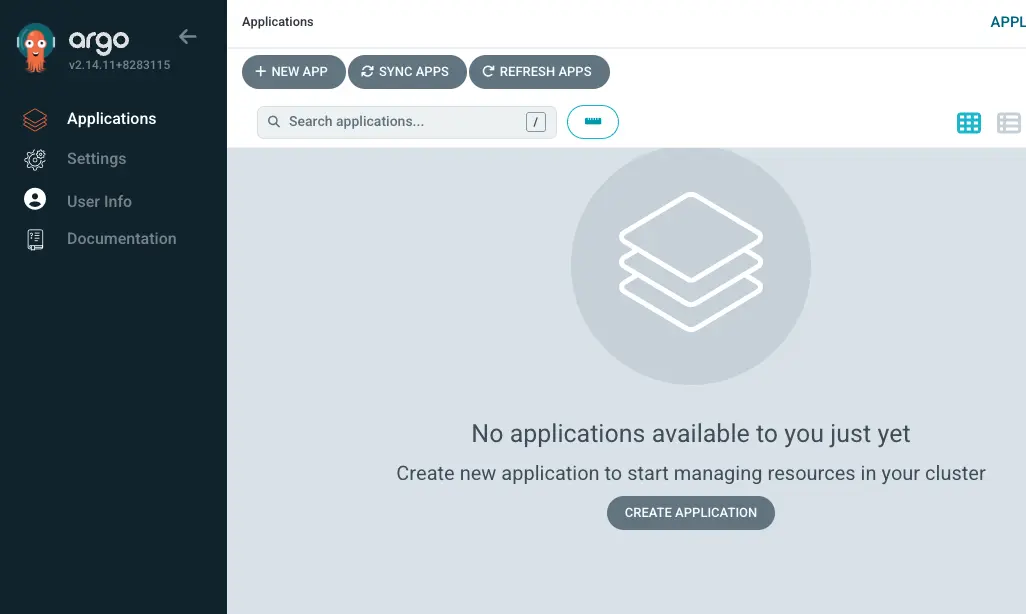
You will see an interface that looks like this:
Authenticating the Argo CD CLI
The capability does not support argocd login, so instead of signing in, the CLI authenticates with an account token that you generate in the UI:
- In the Argo CD UI you opened above, go to Settings → Accounts → admin
- Choose Generate New Token
- Copy the token it shows you, as it is not displayed again
Then set these environment variables, pasting the token in place of the placeholder:
The capability reports its endpoint as a URL, but the CLI expects a bare host, which is what the first line strips. --grpc-web is needed because the capability serves the API over gRPC-Web. With these three set, the CLI works without argocd login.
Verify the CLI works:
NAME CLUSTER NAMESPACE PROJECT STATUS HEALTH SYNCPOLICY CONDITIONS
Registering the EKS Cluster
Unlike a self-managed Argo CD installation (which runs inside the cluster and has direct API server access), the EKS Capability runs in the AWS control plane outside your cluster. You need to explicitly register your EKS cluster so Argo CD knows how to deploy applications to it.
INFO[0000] ServiceAccount "argocd-manager" created in namespace "kube-system"
INFO[0000] ClusterRole "argocd-manager-role" created
INFO[0000] ClusterRoleBinding "argocd-manager-role-binding" created
Cluster 'arn:aws:eks:us-west-2:...' added
This creates an argocd-manager ServiceAccount in kube-system that Argo CD uses to deploy and manage application resources on the cluster. The cluster is identified by its ARN — you'll use $CLUSTER_ARN as the destination server when creating Argo CD applications.
Registering the Git Repository
Register the CodeCommit Git repository with Argo CD:
Repository 'ssh://...' added