Deliver catalog with GitOps
GitOps means a Git repository is the source of truth for what runs in your cluster: instead of running kubectl apply by hand, you commit manifests to Git and a controller continuously reconciles the cluster to match. Argo CD is that controller.
The Git repository here is the AWS CodeCommit repo that prepare-environment created and seeded for you, $EKS_CAP_CODECOMMIT_REPO. It contains the catalog service's Kubernetes manifests under a catalog/ directory.
Right now the catalog service is running as part of the base application, applied directly with kubectl. We'll hand ownership of it to Argo CD so it's delivered from that repo instead. Two declarative steps make that happen: register this cluster as a deployment target, then create an Argo CD Application that points at the repo.
Register the cluster as a deployment target
Argo CD needs to know which cluster to deploy to. Open-source Argo CD assumes the cluster it runs in, but the managed capability runs off-cluster and has no built-in local target, so we register this cluster explicitly. We define it as a Secret that Argo CD recognizes as a deployment target:
# Registers the local EKS cluster as an Argo CD deployment target.
#
# The managed Argo CD capability does NOT register the local cluster
# automatically, and it identifies clusters by EKS cluster ARN (the usual
# https://kubernetes.default.svc is not supported). We give it the explicit
# name eks-workshop, NOT the open-source Argo CD default in-cluster, to
# make clear the managed capability has no built-in local deployment target.
#
# Piped through envsubst before applying so $EKS_CLUSTER_AUTO_ARN is resolved.
apiVersion: v1
kind: Secret
metadata:
  name: eks-workshop
  namespace: argocd
  labels:
    argocd.argoproj.io/secret-type: cluster
stringData:
  name: eks-workshop
  server: ${EKS_CLUSTER_AUTO_ARN}
  project: default
The argocd.argoproj.io/secret-type: cluster label tells Argo CD this Secret describes a deployment target.
We give the target the explicit name eks-workshop.
The target is identified by the EKS cluster ARN ($EKS_CLUSTER_AUTO_ARN), not the usual https://kubernetes.default.svc.
Argo CD can already sync to this cluster: during prepare-environment the capability created an EKS access entry for its IAM role with the cluster-admin policy attached.
Apply it, resolving the cluster ARN with envsubst:
secret/eks-workshop created
Create the catalog Application
Now define an Argo CD Application that points at the seeded CodeCommit repository. Because the IAM Capability Role grants codecommit:GitPull, Argo CD reads the repository directly by its HTTPS URL, with no repository Secret, no SSH key, and no Git credential helper to configure.
# Argo CD Application that delivers the catalog service via GitOps.
#
# The source is the pre-provisioned CodeCommit repository, referenced DIRECTLY
# by its HTTPS URL. The managed Argo CD capability authenticates to CodeCommit
# using its IAM Capability Role (codecommit:GitPull), so there is no repository
# Secret, no SSH key, and no Git credential helper.
#
# Destination uses the registered eks-workshop cluster target. Automated sync
# with prune + selfHeal turns every push to the repo into a reconciled rollout.
#
# Piped through envsubst before applying so $EKS_CAP_CODECOMMIT_URL is resolved.
apiVersion: argoproj.io/v1alpha1
kind: Application
metadata:
  name: catalog
  namespace: argocd
spec:
  project: default
  source:
    repoURL: ${EKS_CAP_CODECOMMIT_URL}
    targetRevision: main
    path: catalog
  destination:
    name: eks-workshop
    namespace: catalog
  syncPolicy:
    automated:
      prune: true
      selfHeal: true
    syncOptions:
      - CreateNamespace=true
source points at the CodeCommit repo ($EKS_CAP_CODECOMMIT_URL); path: catalog selects the manifests directory in the repo.
destination.name: eks-workshop matches the deployment target we just registered.
syncPolicy.automated with prune and selfHeal makes Argo CD continuously reconcile the cluster to match Git.
The base application already deployed catalog with kubectl. Remove it so Argo CD is the sole owner; Argo CD recreates the stack from Git in the next step:
namespace "catalog" deleted
Apply the Application, resolving the repository URL with envsubst:
application.argoproj.io/catalog created
Argo CD picks up the new Application, pulls the manifests from CodeCommit, creates the catalog namespace, and deploys the workloads. Trigger an immediate refresh so we don't wait on the default ~3-minute poll, then wait for the Application to report Healthy. A Healthy Argo CD Application means its workloads rolled out successfully, so there's no separate rollout check to run:
application.argoproj.io/catalog condition met
Confirm the final sync and health state:
Synced/Healthy
If you signed in to the UI, click the catalog tile on the Applications page to open its resource tree and watch Argo CD reconcile the workloads:
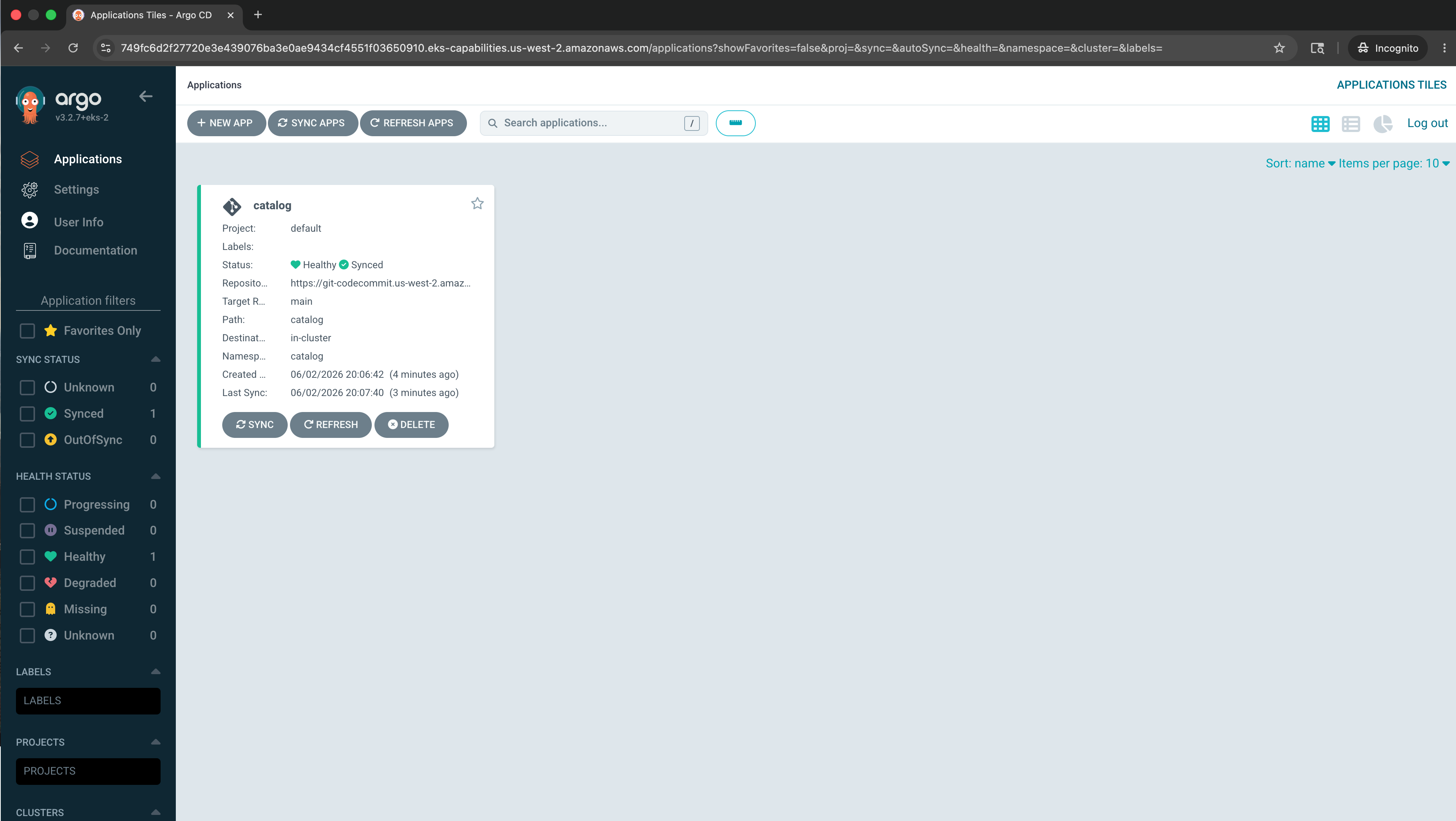
The catalog service is now delivered by GitOps. Any change pushed to the CodeCommit repository will be reconciled to the cluster automatically, which we'll see next.